How to Create Pet Memorial Photos with MemoryGhost | A Gentle Approach You Won't Regret

What you'll learn in this article:
- The basic process for creating a pet memorial photo
- How to choose photos without regret
- What to do when the process becomes too painful
- How to decide whether to post on social media
- Why the process has value even if you never finish
The short version: when it comes to memorial photos, "making something you're emotionally comfortable with" matters more than "making something beautiful." MemoryGhost lets you save drafts, so you can stop anytime it gets too hard and come back when you're ready.
The Struggle of Sorting Through Photos After Losing a Pet
Your camera roll is full of photos of your pet, and looking through them hurts. You want to make an album but can't bring yourself to start. You'd like to post a farewell on social media but don't know how to put it together. Even within a family, people grieve differently, and figuring out who does what can be complicated.
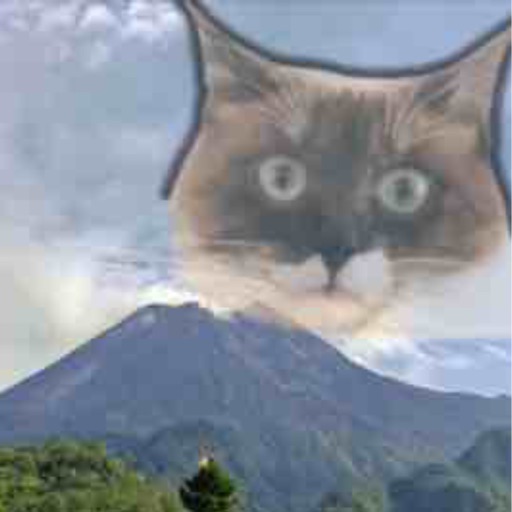
MemoryGhost's ability to condense memories into a single image pairs naturally with the feeling of remembrance. By layering a photo from happier times with a current family photo, you can give shape to the feeling that "they're gone, but still part of the family."
Before You Start
Take a moment before you begin.
- Find a quiet space and take three deep breaths
- Get yourself a drink
- Keep tissues nearby
- Remind yourself: there's no rush
- Decide that it's okay to stop partway through
Rushing through the process tends to lead to regret.
How to Choose Your Photos
Everyone's approach is different, but here are some common patterns.
- A favorite photo from their healthy days → main subject
- A meaningful place (a walking path, a park) → background
- A photo with the family → overlay
- A calm photo from their final days → overlay (optional)
- A seasonal landscape → background
Whether to include photos from their final days is a personal choice — go with what you can look back on without too much pain. Many people use only photos from happier times, and that's perfectly fine.
Step-by-Step Instructions
- Open MemoryGhost and create a new project
- Place a photo from their healthy days as the base layer
- Expand it to fill the frame at 0% transparency
- Layer a photo of a meaningful place as the background (60–70% transparency)
- Layer a photo with family or yourself (30–40% transparency)
- Zoom out and check the overall composition
- Sleep on it and revisit the next day
- Save if it feels right; make small adjustments if something feels off
What the App Can Do
- Layer 2–5 photos with adjustable transparency
- Save and resume drafts
- Fine-tune brightness and color tone
- Export to your camera roll
- Long-term storage in the in-app library
Three Real Examples
1. A beloved dog of 16 years A puppy photo layered with the family's last New Year's photo together. Sixteen years of "our dog being part of our family," condensed into one image.
2. A kitten who was here only briefly Just two photos: the day they met, and the kitten's favorite sunny spot. Simple, but it captures the depth of even a short time together.
3. An elderly dog the whole family said goodbye to Three photos: the walking path, a family portrait, and a peaceful sleeping face from their final days. Made for the family to look back on together, and still displayed in their home.
Common Mistakes and How to Handle Them
Mistake 1: Breaking down in tears and losing momentum Stop and take a break. Save your draft, and come back to it when you feel ready.
Mistake 2: Redoing it over and over, chasing perfection There's no "correct" memorial photo. The only standard that matters is "Can I look at this without it being too painful?"
Mistake 3: Feeling hurt by comments after posting on social media Take your time before posting. Consider waiting about a week, or showing it to someone close to you first before deciding.
Mistake 4: Disagreeing with family about the approach Everyone processes grief differently. Rather than trying to fit everything into one piece, it's perfectly fine for each person to create their own.
Mistake 5: Leaving the project unfinished Finishing is not an obligation. Keeping a draft as something precious is a completely valid choice.
Frequently Asked Questions
Q. What should I do if the process becomes too painful? A. You don't have to push through to the end. The app saves your work as a draft, so you can come back whenever you're ready. If you start crying, just close the app — that's completely okay.
Q. I'm not sure whether to include photos from my pet's final days. A. Some people include both photos from healthier times and the end; others use only the happier ones. There's no right answer — choose whichever you can look back on without too much pain.
Q. Is it okay to post my memorial photo on social media? A. That's entirely your call. Just be aware that some people find themselves hurt by misunderstood comments after posting. It's safer to wait a while and decide with a clear head.
Q. How many photos should I layer? A. Two to three photos usually gives a balanced result. Even just two — one from their healthy days and one family photo from near the end — can be more than enough.
Q. I'm struggling with pet loss and can't make any progress. A. There's no need to force it. You might find it easier to work on it at a meaningful time, like a monthly anniversary or their birthday. Your emotional well-being comes first.
Summary
When creating a pet memorial photo, "working at your own pace" matters more than "making it look perfect." MemoryGhost lets you save drafts, so you can pause whenever it gets too hard and come back later.
If you're unsure about choosing photos, see "How to Choose Photos You Won't Regret | Before/After Examples." If you want to learn the basic controls, check out "How to Use MemoryGhost | Layering Memory Photos."
Related articles
Memory Ghost
A horror-style photo editing app that turns ordinary pictures into strange and funny images.